 Русский
 Azərbaycanca
 Oʻzbekcha
 Кыргызча
Mellstroy Login to Your Casino Account
Phone or email with your password is the standard Mellstroy login method. Choose the matching tab in the Login window, enter your details and press Log in. Social sign-in buttons sit beneath the form. The same account works on the website, its mirror and the mobile versions.
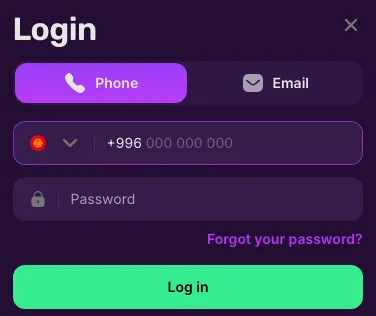
- Use the Phone or Email tab with your password, or choose a social sign-in button beneath the form.
- You keep the same account on the main website, a mirror and the mobile versions.
- Forgotten your password?
- The recovery link sends a code to your phone or email.
- If the site will not open, the operator's chat or Telegram channel supplies a current address; follow the mirror instructions.
Mellstroy login at a glance
The login form separates phone and email access; account settings handle sessions and changes to your details.
| Feature | How it works |
|---|---|
| Login tabs | Phone or Email, with your password |
| Social sign-in | Google, Yandex, Telegram, Mail.ru, Odnoklassniki |
| Account protection | Password only; no 2FA or biometric login |
| Accounts per person | 1 |
| Active sessions | List and session-ending control in Settings |
| Interface | 7 languages, including English |
| Balances | Main funds, bonus balances and Mell Points shown separately |
| Support chat | 24/7 |
If you have no account yet, the registration steps explain which details to enter before your first login.
Ways to sign in: phone, email or a social account
Phone and Email both use your account password. Social sign-in starts from the service buttons beneath the form; the selected method must match your account details.
| Method | What you need | Login condition |
|---|---|---|
| Phone | Account phone number and password | Include the dialling code and use the Phone tab |
| Account email address and password | Use the address attached to the account | |
| Access through your Google account | Choose the matching social sign-in button | |
| Yandex | Access through your Yandex account | Choose this service for the associated account |
| Telegram or Mail.ru | Access through the service you use | Select the button matching that service |
| Odnoklassniki | Access through your Odnoklassniki account | Use its button beneath the password form |
Phone and Email tabs
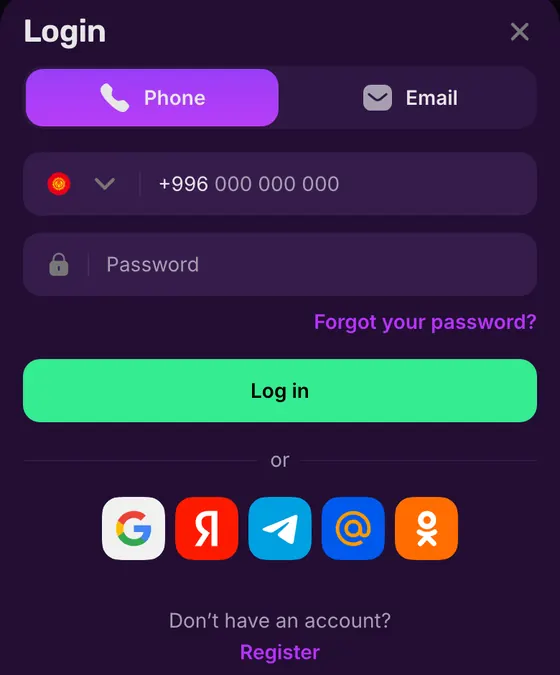
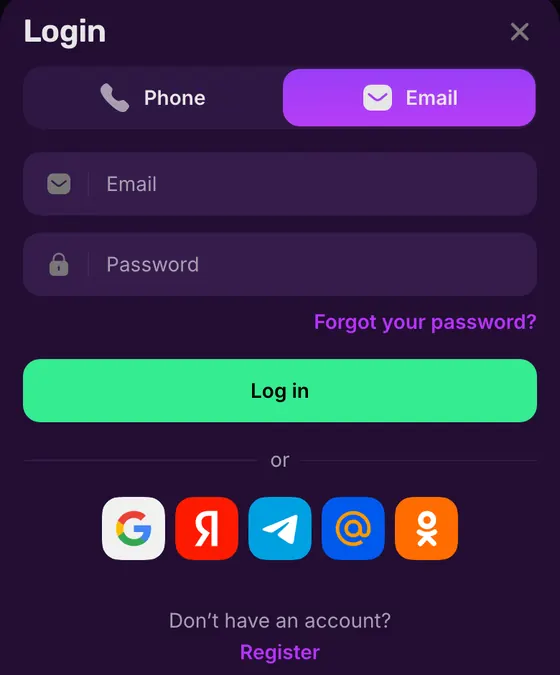
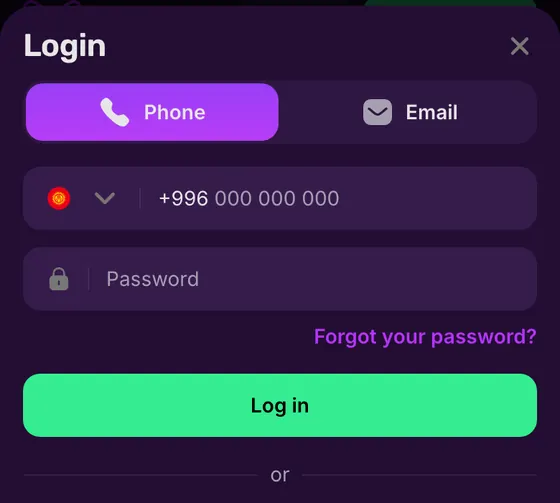
The Phone tab pairs a dialling-code selector with the number field. Email replaces that field with an email address field; the password field remains below it. The Forgot your password? link sits above the Log in button on both tabs.
Social sign-in and account currency
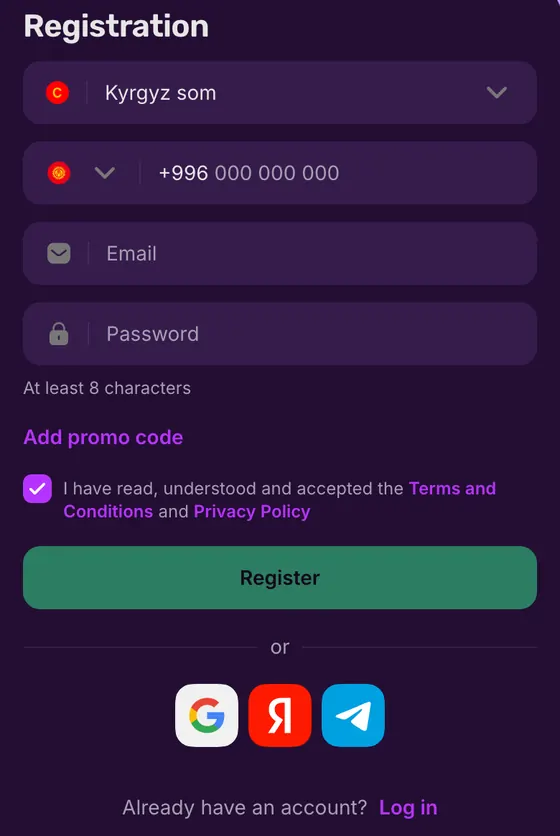
The social row offers Google, Yandex, Telegram, Mail.ru and Odnoklassniki. Choose the service associated with your account. Account currency is a registration choice, so the login window has no currency selector. USD and EUR are account currencies, alongside crypto options.
For a new account, registration covers the currency choice and the contact details you will later use to sign in.
Password protection and active sessions
Your password protects access to the account. Settings lets you change it and end active sessions; confirmed contact details need support to change them.
Password
To change your password in Settings, enter the current one. If you have forgotten it, use recovery from the login form.Active sessions
Open the session list in Settings and choose the session you want to end. Use its end-session control.Confirmed contacts
Support handles changes to a confirmed phone number or email address. Contact it when you no longer have access to either.
Changing a password or a contact
A password change in Settings needs the password you currently use. Recovery is the route when you cannot supply it. Changing a confirmed phone number or email address goes through support, so losing access to a contact is a different issue from forgetting the password.
The session list gives you a control for ending an existing session. For an account query that needs assistance, use support contact details.
 Login
Account ownership and inactivity
One account belongs to one person. The rules treat actions through it as the owner's actions, so sharing login details also hands over control of that account.
Allowed
- ✓Change your password in Settings using the current password.
- ✓Ask support to change a confirmed phone number or email.
Not allowed
- ✕Share your login details with another person.
- ✕Create duplicate accounts, including from the same device or household.
Watch out
- !Duplicate accounts can lead to linked-account closure and retention of funds.
- !After 12 inactive months, a monthly fee may start in month 13.
When account access changes
- 1
A contact is no longer yours
Ask support to change the confirmed detail rather than opening another account. - 2
You have stopped using the account
Mellstroy sends email notices before and after it starts charging the inactivity fee.
Recovering an existing account keeps you within the account ownership rules. If you want to close it instead, account support handles closure requests.
Sign in through the login window
The Login button opens the account form. Select the tab for your registered contact before entering the password.
- 1
Open Login
Use Login in the website header to open the account window. - 2
Choose the contact type
Select Phone for a number or Email for the address attached to your account. - 3
Enter your details
Enter the phone number with its dialling code, or your email, followed by the account password. - 4
Press Log in
Submit the form with Log in. Use Forgot your password? if you cannot recall the password.
The Register button at the bottom of the window starts account creation. Returning users should keep their existing account; first-time players can use the registration page.
What your account area contains
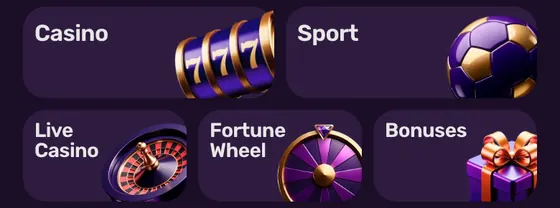
The account menu separates your profile from bonuses and transaction records. Your main balance and casino or sports bonus balances remain separate, with Mell Points on their own line.
Profile
Name, account ID and balance, with controls for depositing and withdrawing.Bonuses
Casino and sports bonuses have separate balances and apply to their respective sections.Vouchers
Enter a voucher code here. Its currency must match the account currency.Bet history
The account menu includes a separate section for your betting records.Payment history
Filter transaction records by All, Deposits or Withdrawals.Settings
Manage account details and your password, or open the active-session list.Support
Use the account's support entry to contact Mellstroy's chat.
Bonus accounts and vouchers
New players can receive up to 550% + 400 FS on the first 4 deposits to a fiat account; up to 660% + 400 FS on a crypto account. No promo code is needed. Free spins follow use of the percentage bonus. The deposit stages are in the welcome bonus terms.
Vouchers use a separate code-entry section. Casino bonuses apply to casino play, while sports bonuses apply to sports bets. The main account balance therefore differs from the bonus balances shown in the profile.
Transactions and identity checks
Payment history groups deposits and withdrawals with a filter for all transactions. Payout limits and processing are in the withdrawal rules. Mellstroy can request identity documents at any time; the identity verification requirements describe that process.
If your account will not open
A rejected login and a website that will not load need different actions. Check the selected contact type when the form opens; use access support when the address itself fails.
The form rejects your details
Match the Phone or Email tab to your account. If you have forgotten the password, use the recovery link beneath its field.The website does not load
Chat or the operator's Telegram channel supplies current mirror addresses. The rules prohibit VPNs, proxies and TOR.The account is suspended
Contact Mellstroy's chat or [email protected] about the existing account.
Requesting a recovery code
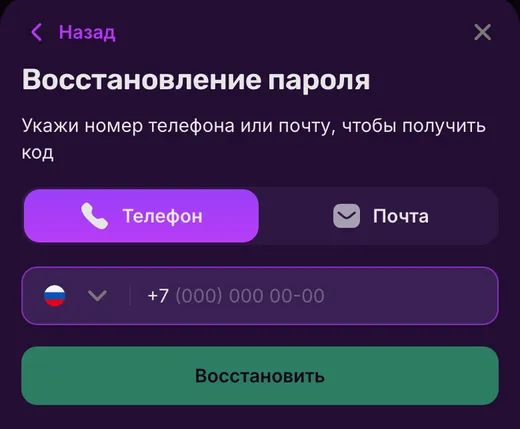
The recovery form asks for a phone number or email to receive a code. Open Forgot your password? from the login window and select the matching contact tab. Enter your account contact and press the recovery button. The code goes to that phone number or email address.
If that phone or inbox is no longer accessible, contact support about changing the confirmed detail. For an address that does not load, get a current address for the same account through the mirror access instructions.
Suspended accounts and formal complaints
Support chat runs 24/7; email enquiries go to [email protected]. For a formal complaint, Mellstroy acknowledges receipt within 1 working day and gives a substantive response within 14 days. Account suspension enquiries and complaint channels are covered in the support procedures.
 Login
Login on your phone and in the app
Your existing account works in the mobile browser and the installed versions. Android uses an APK from the website; iOS uses a PWA added through Safari.
Android APK
Get the APK from Mellstroy's website and use your existing account details.iOS home-screen PWA
Add the website through Safari and open the home-screen shortcut with the same account.Mirror access
A mirror keeps the same account, balance and active bonuses as the main website.
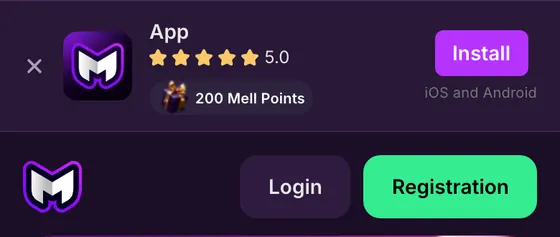
The mobile header has a Login button alongside Registration. Installing a version does not create another account or replace its currency choice. Follow the app installation instructions for the APK or home-screen PWA.
Account access terms
- Active sessions
- The list of account sessions in Settings, with a control to end a session.
- PWA
- Progressive Web App: the website added to your home screen and opened in its own window.
- Mell Points
- Mellstroy's loyalty points, shown separately from the money and bonus balances.
Sources
Where the facts on this page come from
- Operator websiteLogin and password recovery forms
- Operator rulesAccount access and complaint procedures
- Operator bonusesWelcome offer and bonus accounts
Login and account questions
No. Account protection relies on your password; two-factor authentication and biometric login are absent. Settings lists your active sessions and lets you end them.
No. The rules allow one account per person. Duplicate accounts can lead to closure of the linked accounts and retention of funds. Recover access to your existing account through account support.
Choose Phone in the Login window. Enter your number with its dialling code and the account password, then press Log in. If you registered by email, switch to Email and enter that address instead.
Select Forgot your password? beneath the password field. Choose phone or email, enter the account contact and request the recovery code. If you cannot access that contact, ask support to help change your confirmed details.
Check the selected tab and login details first: Phone takes your number, while Email takes your address. If the website itself will not open, use the mirror and access instructions. A suspended account needs support rather than another registration.
No. Mellstroy's rules prohibit VPNs, proxies and TOR. Disable them before trying to access the account.
Yes. Once an account has been inactive for more than 12 months in a row, a monthly maintenance fee can apply from the 13th month; Mellstroy emails you before the fee starts and again afterwards.
Google, Yandex, Telegram, Mail.ru and Odnoklassniki appear beneath the password form. Choose the service you use for your account. Phone and Email remain separate options above the password field.
- First version with login methods, session controls and password recovery steps.
About this site
This site is informational: it is not Mellstroy or its official page, and it takes no deposits or bets.
The operator does not publish a licence, regulator or legal entity. Under its Terms, whether online gambling is allowed where you live is yours to check; the rules allow one account per person and prohibit VPNs, proxies and TOR.
18+ only. Gambling can be addictive – read the safer-gambling page.
Welcome offer